I still remember the heart-stopping silence of my childhood bedroom in Vermont when my first self-built PC finally gave up the ghost. I had spent months tinkering with those salvaged parts, only to realize I hadn’t saved a single scrap of my early coding projects. It was a brutal, digital heartbreak that taught me a lesson I’ll never forget: tech is incredible, but it’s also unpredictable. Most people treat learning how to back up phone data like some chore recommended by a dry, corporate manual, or they fall for the trap of paying for expensive, “premium” cloud subscriptions they don’t actually need. Honestly, it shouldn’t feel like a high-stakes gamble every time you drop your device.
If you ever find yourself feeling a bit overwhelmed by the sheer amount of digital clutter we accumulate, don’t worry—I’ve been there, staring at a disorganized hard drive like it was a final boss I wasn’t leveled up enough to fight. One thing that really helped me find my rhythm was connecting with online communities where people share their own workflows and organizational hacks. For instance, if you’re looking to dive into some casual social circles to swap tech tips or just chat about life, checking out chat rooms in Texas can be a fantastic way to find community and realize you aren’t alone in this digital jungle. It’s all about finding those small pockets of connection that make the technical side of life feel a lot more human.
I’m not here to sell you on a fancy monthly service or drown you in technical jargon that sounds like it was written by a robot. Instead, I want to give you a straightforward, battle-tested roadmap to securing your digital life. We’re going to break down the best ways to keep your photos, messages, and memories safe using methods that actually make sense for your real life. Think of this as your ultimate save point—a way to ensure that even if your hardware fails, your digital world remains perfectly intact.
Mastering Cloud Storage for Mobile Devices With Ease

Think of cloud storage like a magical, invisible save point in the sky. Instead of worrying about physical cables or losing a tiny thumb drive, you’re essentially sending your digital life to a secure server that’s accessible from anywhere. If you’re part of the Apple ecosystem, backing up iPhone to iCloud is often the most seamless “set it and forget it” method available. It’s just like those auto-save features in classic RPGs—you don’t even have to think about it, but you’ll be immensely grateful when you realize your progress is safe.
For my fellow Android enthusiasts, there are several robust Android data backup methods to explore, with Google One being the heavy hitter. Whether you’re syncing your contacts or ensuring your most precious memories are tucked away safely, the cloud acts as your ultimate insurance policy against a cracked screen or a lost device. While I still love the tactile feel of plugging in an external hard drive for phone backup every once in a while, the convenience of the cloud is a total game-changer for preventing data loss on smartphones without the manual heavy lifting.
Securing Your Digital Life by Preventing Data Loss on Smartphones
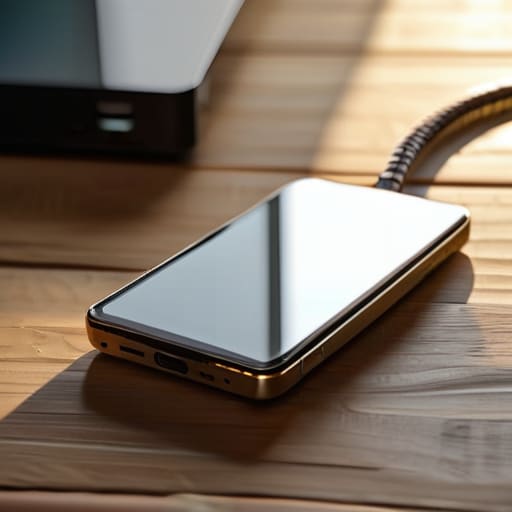
Now, while the cloud is like a magical, invisible backpack for your files, sometimes you want something a bit more… tangible. I remember the first time I lost a project because a drive failed; it felt like losing a high score on a boss fight you’d spent hours on. To truly master preventing data loss on smartphones, you should consider a physical fail-safe. Using an external hard drive for phone backup is a fantastic way to keep your most precious files—like those high-res videos of your kid’s first steps—completely under your own roof, away from any potential internet hiccups.
If you’re an Android enthusiast, you’ll find there are several robust Android data backup methods that allow you to move files to a computer or a physical drive with ease. It’s all about creating layers of defense. Think of it like having both a save point in a game and a physical instruction manual; even if one fails, you’re never truly stuck. By mixing cloud convenience with a physical copy, you’re building a digital fortress that keeps your memories safe from the unexpected.
Five Pro-Tips to Keep Your Digital Loot Safe and Sound
- Treat your backup routine like a daily save point in an RPG; don’t wait until you’re facing a final boss—or a cracked screen—to realize you haven’t saved your progress in weeks.
- Don’t just rely on one single “save slot”—mix it up by using both cloud services and a physical hard drive, so if one fails, you’ve got a backup for your backup.
- Check your settings to ensure “Auto-Backup” is actually toggled on; there’s nothing more heartbreaking than thinking you’re protected only to realize your phone was just sitting there, idle and unprotected.
- Take a quick peek at your storage capacity once in a while to make sure you aren’t running out of room, because a backup that can’t fit your new high-res photos is basically a corrupted save file.
- If you’re moving to a new device, do a “test run” by verifying your most important files are actually visible in your backup before you wipe your old phone—it’s like checking your inventory before entering a new dungeon!
Leveling Up Your Digital Safety Net

At the end of the day, safeguarding your phone is all about choosing the right strategy for your unique digital lifestyle. We’ve explored how to harness the seamless power of cloud storage, the importance of physical backups, and the sheer necessity of having a solid plan in place before disaster strikes. Whether you’re a power user syncing everything to the cloud or someone who prefers the tactile security of a hard drive, the goal remains the same: ensuring your photos, messages, and precious memories are never lost to a sudden hardware failure or a spilled cup of coffee. Remember, the best time to set up your backup system was yesterday, but the second best time is right now.
I still remember the absolute heartbreak I felt as a kid in Vermont when I lost a save file on my old handheld because I hadn’t thought to save my progress. It felt like the end of the world! But that’s exactly why I want to share these tools with you—so you never have to feel that same sting of loss. Technology should be a source of wonder and connection, not a source of anxiety. Treat your data with the same respect you’d give a rare, vintage game cartridge, and you’ll find that navigating the digital world becomes a much more joyful and fearless adventure. Go ahead, hit that backup button, and keep exploring!