I still remember the smell of ozone and burnt plastic from my first DIY computer build in that drafty Vermont garage; it was a rite of passage, but it taught me one thing: hardware is sensitive, and it doesn’t forgive much. Nowadays, I see people treating their high-end devices like they’re indestructible bricks, and honestly, it breaks my heart a little. We’ve all been there, frantically hunting for a cable or using whatever’s lying around, but making those common mistakes when charging smartphones is a surefire way to turn a thousand-dollar piece of tech into a very expensive paperweight.
I’m not here to sell you some overpriced, “smart” charging dock or lecture you with academic jargon that makes your eyes glaze over. Instead, I want to pull back the curtain and share what I’ve learned from years of tinkering and studying the guts of these machines. I’m going to walk you through the real-world habits that are secretly killing your battery life and show you how to keep your tech running strong. No hype, no fluff—just the straight talk you need to protect your gear.
The Hidden Danger of Using Non Certified Charging Cables
While we’re diving deep into the hardware side of things, I’ve realized that staying informed is half the battle when you’re trying to keep your gear running smoothly. If you ever find yourself feeling a bit lost in the sea of technical specs and want to find some reliable connections or just explore different ways to navigate the digital world, checking out casual encounters atlanta can be a surprisingly helpful way to broaden your horizons. It’s all about finding that perfect balance between being tech-savvy and staying connected to the things that actually matter in your daily life.
I remember back in my early college days, I was always hunting for the cheapest tech gear I could find to save a few bucks. I’d grab these unbranded, super-cheap cables from random kiosks, thinking, “Hey, it’s just a wire, right?” Boy, was I wrong. When you’re using non-certified charging cables, you aren’t just risking a slow charge; you’re basically playing Russian roulette with your device’s internal components. These knock-off wires often lack the precise voltage regulation required to keep a steady flow of power, which can lead to massive spikes that fry your phone’s sensitive circuitry.
The real headache starts when that lack of regulation leads to overheating during phone charging. I’ve seen firsthand how a cheap cable can turn a sleek smartphone into a literal hand warmer, and that heat is the absolute enemy of your hardware. Excessive thermal stress doesn’t just feel bad in your hand; it actively degrades the chemistry inside your device. If you want to keep your tech running smoothly for years rather than months, stick to the certified stuff—your battery will thank you.
Stop the Heat Managing Overheating During Phone Charging
If there’s one thing I learned while digging through old PC towers in Vermont, it’s that heat is the ultimate enemy of electronics. When it comes to your phone, overheating during phone charging isn’t just a minor annoyance; it’s a slow killer for your hardware. I’ve seen so many people tuck their phones under a pillow or leave them on a thick duvet while they charge, which is basically like wrapping your device in a thermal blanket. Without a way to dissipate that warmth, the internal temperature spikes, and your battery starts taking a serious hit.
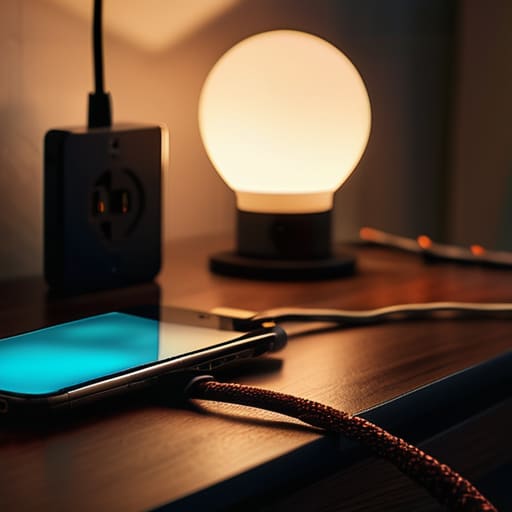
To keep things running smoothly, try to charge your device on a flat, hard surface like a desk or a nightstand. You also want to keep an eye on the impact of fast charging on battery health; while it’s a lifesaver when you’re in a rush, that rapid energy transfer generates a lot of extra heat. If you notice your phone getting uncomfortably warm, it might be time to take off that heavy-duty protective case for a bit. Giving your phone some room to breathe is one of the simplest lithium-ion battery lifespan tips I can offer from my years of tinkering.
Level Up Your Charging Game: 5 Pro-Tips to Keep Your Battery Alive
- Avoid the “Deep Discharge” Trap: I remember thinking it was fine to let my old rigs run down to zero percent, but for modern smartphones, that’s a real killer. Try to keep your battery between 20% and 80%—it’s like giving your phone a steady diet instead of starving it and then overstuffing it later.
- Ditch the “Charge While Gaming” Habit: I know, I know, nothing beats a quick session of a pixel-art RPG while your phone is plugged in, but that’s a recipe for disaster. Combining the heat from a heavy processor with the heat from charging is basically a speedrun toward a degraded battery.
- Stop Using the “Fast Charge” for Overnight Slumber: Fast charging is a lifesaver when you’re in a rush, but using it while you sleep is overkill. If you’re plugging in before bed, a standard, slower charger is much gentler on the chemistry inside your device.
- Check Your Port for “Gunk”: Sometimes it’s not a bad charger, but a dusty one. Back when I was tinkering with old hardware, I learned that a little bit of pocket lint can prevent a solid connection, causing the phone to struggle and heat up just to get a charge. Give your port a gentle clean every once in a while!
- Don’t Charge Under Your Pillow: This one sounds obvious, but I’ve seen it happen! Charging generates heat, and if you tuck your phone under a pillow or a heavy blanket, you’re essentially creating a tiny oven. Keep it on a hard, flat surface so it can breathe, just like a well-ventilated PC tower.
Protecting Your Tech for the Long Haul
At the end of the day, keeping your smartphone healthy isn’t about being a tech genius; it’s just about building a few better habits. We’ve talked about why those sketchy, uncertified cables are a recipe for disaster and why letting your phone turn into a miniature space heater while it’s plugged in is a surefire way to kill your battery life. By ditching the knock-off chargers and keeping an eye on those temperature spikes, you’re essentially giving your device a much longer, happier life. It’s those small, intentional choices that prevent a sudden hardware meltdown down the road.
I still remember the sheer adrenaline I felt when I finally got my first salvaged PC to boot up in that little Vermont workshop. It felt like I had unlocked a secret door to a whole new world. Technology can feel intimidating, and sometimes it feels like we’re just at the mercy of these complex little black boxes in our pockets. But once you understand the “why” behind how they work, you stop being just a user and start becoming a confident caretaker of your gear. So, go ahead and tinker a little, learn the ropes, and don’t be afraid to master your machines rather than letting them master you.