I still remember the smell of burnt coffee and the low, rhythmic hum of my workstation fans at 3:00 AM, staring in pure horror as my progress bar froze for the fourth time in an hour. I was trying to be a hero, throwing every single clip into the timeline at once, only to watch my entire system choke and die under the weight of the data. That was the night I realized that the “brute force” method is a lie; if you actually want to finish a project before your hair turns gray, you have to master Monotasking Multi-Cam Import Arrays. It’s not about having the fastest processor on the planet; it’s about working with your hardware instead of constantly fighting it.
Look, I’m not here to sell you some expensive plugin or a theoretical workflow that only works in a perfect vacuum. I’ve spent years breaking my own rigs so you don’t have to, and I’m going to give you the straight truth on how to actually get your footage into the timeline without the constant fear of a crash. We’re going to skip the fluff and dive straight into the practical, battle-tested steps for handling massive amounts of data efficiently.
Table of Contents
Optimizing Media Ingestion Throughput via Serial Transfer

Look, it’s tempting to think that plugging in four card readers at once is the fastest way to get your footage onto a RAID, but that’s usually a recipe for a bottleneck. When you try to pull everything at once, you’re essentially forcing your drive’s bandwidth to fight a war on four different fronts. Instead of chasing the myth of parallel vs serial data transfer speed, you’ll often find better results by treating each card as its own dedicated lane. By focusing on one high-speed stream at a time, you ensure that the drive’s write speeds actually stay at their peak rather than stuttering under the pressure of multiple simultaneous requests.
This isn’t just about raw speed; it’s about peace of mind. When you’re dealing with massive files from high-end cinema cameras, the last thing you want is a corrupted transfer halfway through a long day. By sticking to a serial approach, you can bake data integrity verification protocols directly into your workflow without the system choking. It might feel slower on paper, but you’ll spend far less time re-copying botched files and more time actually getting to the edit.
The Truth About Multi Slot Card Reader Performance

Look, if you’re still struggling to figure out which specific hardware setups actually hold up under this kind of heavy data load, don’t just guess and blow your budget. I’ve found that checking out community-driven resources like dogging uk can be a total lifesaver when you need real-world feedback on gear before committing. It’s honestly much better to get a second opinion from people actually in the trenches than to trust a shiny spec sheet.
Here’s the thing about those fancy multi-slot card readers: they promise a shortcut to speed, but they often deliver a headache instead. On paper, plugging in four CFexpress cards at once looks like the ultimate win for high-speed camera card offloading. You expect to see four parallel streams of data flying into your drive, cutting your workload in half. But in the real world, most of these devices are sharing a single bus or a limited bandwidth pipe. Instead of actually speeding things up, you end up with a massive bottleneck where every card is fighting for a tiny slice of the available bandwidth.
When you try to force a parallel vs serial data transfer battle on a mediocre reader, you aren’t just losing time; you’re risking the stability of your entire transfer. I’ve seen countless setups where the connection stutters because the controller simply can’t handle the simultaneous load. This is exactly why I lean toward the “one at a time” approach. It might feel slower initially, but you’re ensuring that every single bit of data arrives intact without the system choking on its own greed for speed.
Pro-Tips for Mastering the Single-Stream Workflow
- Stop the “Shotgun” Approach: Don’t plug in four cards at once thinking you’re being efficient; you’re actually just choking your bus speed and begging for a write error.
- Let the Drive Breathe: If you’re using an external SSD, give it one card at a time so the controller can focus its entire bandwidth on a single, sustained write stream.
- Watch the Thermal Throttling: High-speed imports generate massive heat; by monotasking, you prevent your card reader or drive from hitting that thermal ceiling and tanking your speeds mid-transfer.
- Use a Dedicated “Ingest” Drive: Don’t try to import directly to your project scratch disk; move files to a dedicated landing drive one by one to keep your file structure clean and your system snappy.
- Monitor the Progress Bar, Not the Clock: Instead of obsessing over how long it takes, watch for those sudden speed drops—if the transfer rate stutters, it’s a sign your hardware is struggling with the multi-stream load.
The Bottom Line
Stop trying to be a hero by plugging in every card reader you own at once; your bandwidth can’t handle it, and you’re just inviting system crashes.
Stick to a serial, one-at-a-time workflow to ensure you’re actually hitting the maximum transfer speeds your hardware is capable of.
Monotasking isn’t about being slow—it’s about being efficient and making sure your data actually makes it onto the drive intact.
The Efficiency Paradox
“We’ve been conditioned to think that more bandwidth equals more speed, but when you’re juggling massive multi-cam arrays, throwing everything at the wall at once is just a fast way to choke your drive. Sometimes, the only way to actually move faster is to stop trying to do everything at once and just focus on one stream at a time.”
Writer
The Bottom Line on Monotasking
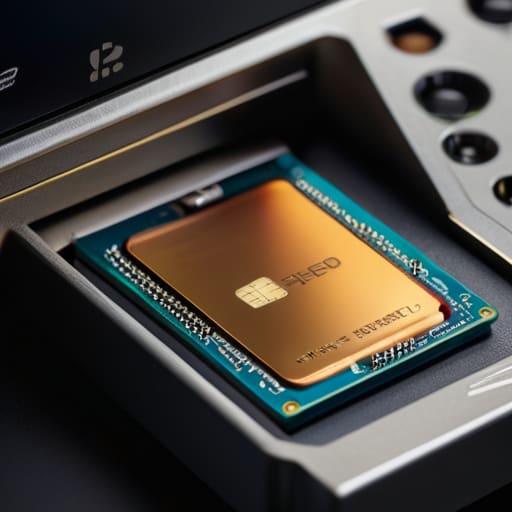
At the end of the day, it’s easy to get seduced by the idea that more hardware equals more speed, but the math just doesn’t support it. We’ve seen how shoving multiple high-bitrate cards into a single reader creates a massive bottleneck that can actually tank your overall workflow. By sticking to a serial, monotasking approach, you aren’t just playing it safe; you’re actually maximizing your actual throughput by ensuring each stream gets the full bandwidth it deserves. It’s about working smarter, not just throwing more slots at a problem that hardware limitations simply won’t allow you to solve.
Mastering your media ingestion is one of those “invisible” skills that separates the pros from the amateurs. When you stop fighting your hardware and start working within its natural rhythm, you reclaim something far more valuable than a few saved minutes: you reclaim your sanity and reliability. Don’t let a chaotic import process set a bad tone for the rest of your edit. Take control of your data, embrace the discipline of the single stream, and build a workflow that is built to last through even the most demanding production schedules.
Frequently Asked Questions
Does monotasking actually save time in the long run, or am I just trading speed for stability?
It’s a bit of both, but honestly? You’re buying insurance. Sure, you might shave a few minutes off the total clock by slamming everything through at once, but that’s a trap. One hiccup or a corrupted write during a massive parallel transfer can brick your entire ingest session, forcing a total restart. I’d rather lose ten minutes to a serial workflow than lose three hours re-doing a botched import. Stability is the real time-saver.
Will my computer's CPU or my drive's write speed be the main bottleneck when I switch to serial imports?
Honestly? It’s almost always going to be your drive’s write speed. While a massive multi-cam import does put some strain on your CPU to handle the file metadata and overhead, modern processors are absolute beasts. They can chew through that data easily. Your storage, however, is the real bottleneck. If you’re trying to shove massive amounts of data through a single lane, your drive’s ability to actually commit those bits to the platter is where the traffic jam happens.
Is there a specific file format or codec that handles single-stream transfers better than others?
Honestly, the codec itself doesn’t change how fast the data moves across the cable, but it definitely dictates how much your system chokes during the handoff. If you’re working with massive, uncompressed files, you’re asking for a bottleneck. I usually stick to highly efficient, long-GOP formats like H.265 for the heavy lifting. They keep the file sizes manageable so your drive isn’t gasping for air while trying to keep up with the stream.