I remember sitting on my bedroom floor in Vermont, surrounded by the smell of ozone and warm solder, trying to figure out why my first DIY computer rig kept dropping its connection. Back then, if you wanted to learn how to secure your home wireless network, you didn’t have a sleek YouTube tutorial; you had a stack of dusty manuals and a lot of trial and error. Most tech gurus today will try to sell you on expensive, high-end enterprise hardware or complicated encryption layers that honestly feel like overkill for a standard household. They make it sound like you need a degree from MIT just to keep your neighbor from piggybacking on your bandwidth, but that’s just marketing fluff designed to make simple tasks feel intimidating.
I’m not here to drown you in jargon or suggest you spend a fortune on gear you don’t need. Instead, I’m going to pull back the curtain and show you the practical, no-nonsense steps to fortify your digital perimeter using what you already have. We’re going to walk through the essential settings and habits that actually matter, turning your router from a wide-open door into a solid, reliable shield. Think of this as a tinkerer’s guide to digital peace of mind—simple, effective, and completely jargon-free.
Changing Default Router Credentials for Instant Peace of Mind
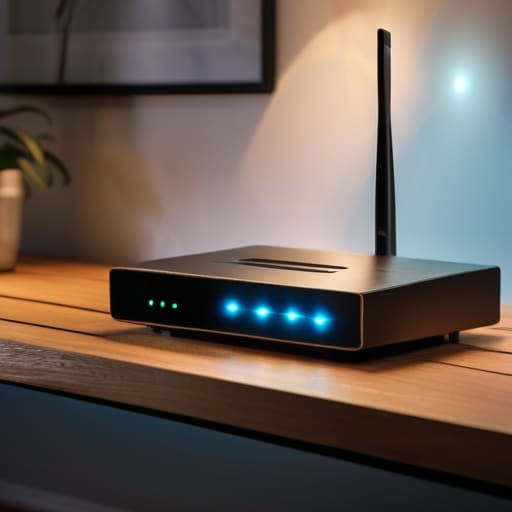
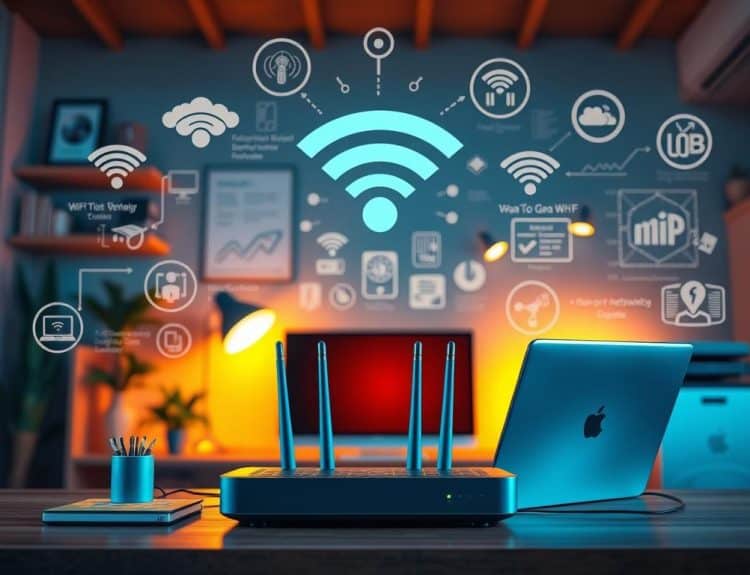
Think of your router as the front door to your digital home. When you first unbox a new device, it usually comes with a “factory default” username and password—something generic like “admin” and “password123.” It’s a bit like leaving your house keys hanging in the lock with a big “Welcome!” sign. Hackers have entire databases of these common defaults, making changing default router credentials one of the easiest and most impactful moves you can make to stop unwanted guests from wandering into your private data.
Once you log into your router’s settings, I want you to go straight for the “Administration” or “Security” tab. It might feel a little intimidating, like trying to navigate a complex level in an old-school RPG, but I promise it’s simpler than it looks. Create a unique, long passphrase that doesn’t include your name or birthday. By doing this, you are effectively preventing unauthorized Wi-Fi access before it even starts. It’s a small, five-minute task that provides an incredible amount of instant peace of mind, letting you focus on what really matters—like finally finishing that pixel art animation I’ve been working on!
Wpa3 Encryption vs Wpa2 Choosing Your Best Shield

Think of your Wi-Fi encryption like the armor on your favorite retro RPG protagonist. For years, WPA2 has been our trusty shield, the reliable standard that kept most digital dragons at bay. It’s been a solid defense, but as hackers get a bit more “levelled up,” that old armor is starting to show some cracks. This is where the debate of WPA3 encryption vs WPA2 really comes into play. While WPA2 is still decent, WPA3 is like upgrading from a wooden buckler to a legendary suit of plate mail; it offers much stronger protection against those pesky brute-force attacks that try to guess your password.
If you’re looking at your router settings and see the option for WPA3, I highly recommend making the switch if your devices can handle it. It provides a much more robust handshake between your phone and your router, making it significantly harder for outsiders to intercept your data. However, if you have some older “legacy” tech—maybe an old handheld console or a smart plug from years ago—they might not speak the WPA3 language. In that case, sticking with WPA2 is still a vastly better option than leaving things wide open, but keep an eye out for those hardware upgrades down the road!
Leveling Up Your Defense: 5 Pro-Tips to Keep the Digital Prowlers Away
- Hide Your SSID to Stay Under the Radar: Think of your network name like a secret cheat code; if you disable SSID broadcasting, your Wi-Fi won’t show up on a stranger’s list of available networks, making you a much harder target for casual passersby.
- Set Up a Guest Network for Visitors: I always treat my guest network like a separate “sandbox” mode in a game; it lets your friends hop online without giving them a direct line into your main system where your private files and smart devices live.
- Disable WPS to Close a Known Glitch: Wi-Fi Protected Setup is like a convenient shortcut, but in the world of security, shortcuts often leave the back door unlocked; turning it off prevents hackers from using simple brute-force tools to bypass your password.
- Keep Your Firmware Fresh: Just like patching a buggy game launch, updating your router’s firmware is essential; these updates are often the only way to fix newly discovered security holes that could let someone slip through the cracks.
- Audit Your Connected Devices Regularly: Every now and then, take a peek at your router’s admin panel to see who’s actually logged in; if you see a “mystery player” on your list, it’s time to change that password and kick them out of your digital workshop.
Leveling Up Your Digital Defense

At the end of the day, securing your home network isn’t about becoming a master hacker or spending hours staring at lines of green code on a black screen. It’s about taking those small, intentional steps—like swapping out those factory-default passwords and making sure you’re running the strongest encryption possible—to build a solid foundation. We’ve covered how changing your credentials can stop intruders at the gate and why choosing between WPA2 and WPA3 is like picking the right armor for your digital character. By implementing these tweaks, you aren’t just following a checklist; you are actively fortifying your personal sanctuary against the unpredictable bumps of the internet.
I still remember the sheer rush of excitement I felt when I finally got my first home-built rig to boot up without a single error message. That sense of mastery, of truly understanding the machine in front of you, is exactly what I want you to feel with your network. Technology shouldn’t be a black box that intimidates you; it should be a playground that you control. So, don’t let the technical jargon hold you back. Keep tinkering, keep asking questions, and remember that every expert was once a beginner just trying to figure out how the wires connect. You’ve got this!
While you’re busy hardening your digital perimeter, don’t forget that technology is ultimately about the connections we make with others, whether that’s through a high-speed gaming session or exploring new communities. I’ve always found that the best way to test a solid connection is to see how it holds up when you’re actually interacting with the world, much like how I discovered the joy of meeting people in Netherlands during one of my early tech-focused travels. It’s one thing to have a secure network, but it’s truly rewarding to use that secure gateway to forge genuine human connections across the globe without a second thought about your privacy.