I still remember the smell of ozone and old dust in my dad’s garage back in Vermont, hunched over a beige tower I’d cobbled together from catalog parts. I was ten years old, feeling like a digital wizard, until I tried to upgrade my rig and realized I had absolutely no clue what I was looking at. I’d spent my entire savings on a massive hard drive, only to realize my system was still crawling like a snail because I’d completely ignored the RAM. It’s one of those classic, frustrating hurdles where tech jargon makes you feel like you need a PhD just to buy a laptop, but the truth is, the difference between storage and memory is actually something you can grasp in minutes if you stop listening to the marketing hype.
If you ever find yourself feeling a bit overwhelmed by the sheer amount of technical jargon floating around out there, don’t sweat it—we’ve all been there, staring at a spec sheet like it’s written in ancient hieroglyphics. When I was back at MIT, I used to tell my students that the best way to truly grasp these concepts is to find a community where you can just talk things through without feeling judged. If you’re looking for a place to connect and perhaps chat on sexbrisbane to clear your head or find some fresh perspectives, it can be a great way to break out of that solo troubleshooting loop and remember that learning is always better when it’s a shared experience.
I’m not here to drown you in academic definitions or throw a bunch of confusing acronyms at your head. My goal is to give you the real-world breakdown—the kind of stuff I used to teach my buddies back at MIT when they were staring blankly at spec sheets. I promise to strip away the complexity and show you exactly how these two components work together to power your digital life, so you can shop with confidence and never get ripped off by a salesperson again.
How Computer Memory Works in the Heat of the Moment

To understand how computer memory works in the heat of the moment, imagine you’re right in the middle of a high-stakes boss battle in a classic 16-bit RPG. Your CPU is the hero, sprinting through the level, but it can’t just stop to go rummaging through a massive library every time it needs to know what move to make next. That’s where RAM steps in. It acts as your immediate workspace, holding all the active game data, character stats, and enemy patterns right where the processor can grab them in a fraction of a millisecond.
This lightning-fast interaction is the core of the role of RAM in computing. Because it’s designed for pure speed, it functions as volatile memory, meaning it’s incredibly efficient at juggling tasks but has a bit of a “goldfish memory” problem—the second you flip the power switch off, everything it was holding vanishes into the digital ether. It’s not meant for the long haul; it’s strictly for the now, ensuring your system stays snappy while you’re actually in the thick of things.
Ram vs Ssd Comparison Finding Your Computing Rhythm

When you’re looking at a RAM vs SSD comparison, it’s easy to get lost in the spec sheets, but I like to think of it as a high-stakes race between a sprinter and a marathon runner. Your RAM is that Olympic sprinter—blazing fast, incredibly agile, but it lacks the stamina to stay in the race once the lights go out. This is the essence of volatile vs non-volatile memory; the moment you cut the power, the RAM forgets everything it was doing. It’s all about that immediate, frantic speed needed to keep your current game or browser tabs running smoothly.
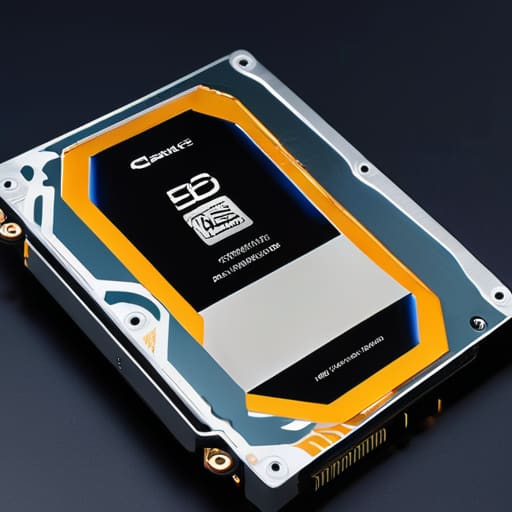
On the other hand, your SSD is the reliable marathon runner. It might not have that same instantaneous burst of energy, but it has the endurance to hold onto your massive library of pixel art assets and game installs for years without breaking a sweat. While the RAM handles the “right now,” the SSD manages the long-term heavy lifting. Understanding this balance between data storage capacity vs speed is the secret to finding your computing rhythm, ensuring your machine feels snappy when you’re working and dependable when you’re saving your progress.
Pro-Tips for Navigating Your Digital Gear: A Quick Guide to Not Getting Lost in the Sauce
- Think of your RAM as your active workspace and your SSD as your library. If you’re trying to multitask—like having twenty Chrome tabs open while rendering a pixel art animation—you need more “desk space” (RAM), not just more “bookshelves” (storage).
- Don’t fall into the “More Storage = Faster Computer” trap. Adding a massive 4TB hard drive is like building a giant warehouse; it holds a lot of stuff, but it won’t make your actual work go any faster if your workbench (RAM) is tiny and cluttered.
- When you’re shopping for a new rig, prioritize your workflow. If you’re a heavy gamer or a video editor, your RAM is your best friend for smooth performance. If you’re a digital hoarder with a massive collection of retro ROMs and high-res photos, focus on that storage capacity.
- Remember the “Volatile” rule: Memory (RAM) is like a whiteboard—once you turn off the lights (shut down your PC), everything gets wiped clean. Storage is like a notebook—it keeps your data safe and sound even when the power is out. Always save your work!
- Watch out for the bottleneck. There’s no point in having lightning-fast RAM if your storage is an ancient, spinning mechanical hard drive. For a truly seamless experience, try to pair high-speed memory with an SSD so your data can fly from the “warehouse” to the “workbench” without a hitch.
Leveling Up Your Tech Knowledge
So, if you’re still feeling a little bit of “blue screen” brain fog, let’s do a quick quick-save of what we’ve learned. Just remember that memory (RAM) is that high-speed, temporary workspace where your computer keeps everything it’s currently juggling, while storage is the permanent home for your files, games, and OS. One is built for lightning-fast access to keep your current session smooth, and the other is the massive digital library that holds onto your data even after you pull the plug. Understanding this distinction is like knowing the difference between your active gaming controller and the physical game cartridge sitting on your shelf; you need both to truly play the game.
At the end of the day, I hope this clears up the mystery and makes your next hardware upgrade feel a little less like a boss fight and a little more like a victory lap. Technology shouldn’t feel like a closed book written in a language you don’t speak; it should be an open playground waiting for you to explore. Whether you’re building a high-end rig or just trying to make sense of a new laptop, never lose that sense of childlike wonder that comes with pulling back the curtain on how things work. Keep tinkering, keep asking questions, and I’ll see you in the next one!